

What is Malware Evader in the browser extension?


The Malware Evader blocks access to known malware, phishing and other suspicious domains.
You can access it in the Windscribe browser extension by going to Preferences > Blocker and enabling Malware Evader. The toggle will appear as blue when this feature is enabled.

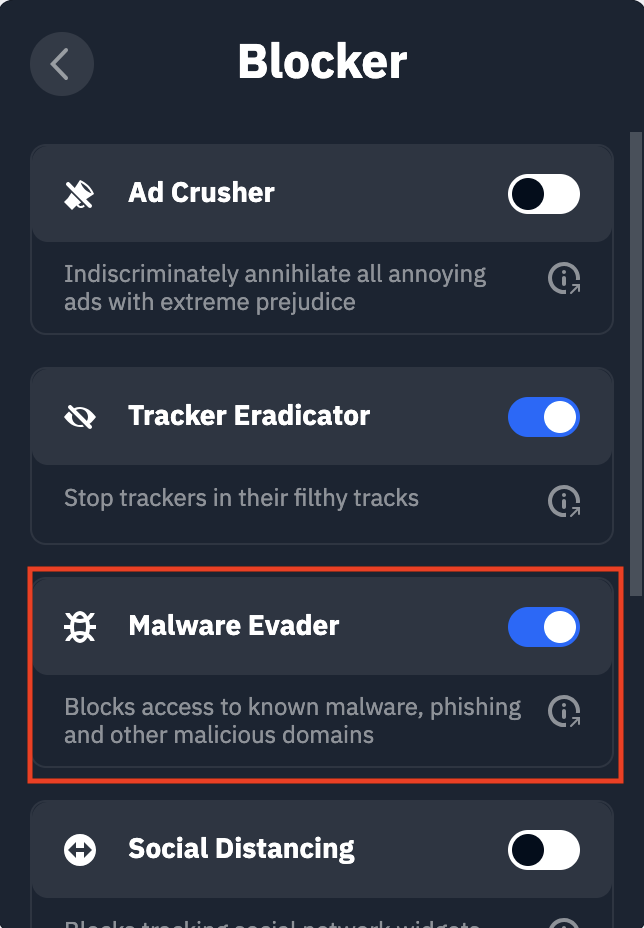
This feature helps protect you online as it blocks hundreds of thousands of known malware distributing websites, phishing domains and domains used for botnet administration. Unless there is some very specific reason you need to be visiting these types of sites, we recommend you leave this on at all times.
The Malware Evader feature is only available in the Firefox/MV2 version of the browser extension. If you are using the Chrome/Edge version of the browser extension, this feature has been combined with Tracker Eradicator and Ad Crusher into one toggle labeled Ad Crusher.